Agents at work – l'intelligenza che agisce
Three digital colleagues in half an hour: GitHub Copilot for developers, Microsoft Scout for people working across mail, files and portals, Microsoft Foundry for enterprise agents. Real cases, demos and one rule: delegate the work, not the responsibility.
- Events
-
- Agents at Work: Meet Your New Colleagues — WeAreProject · · Microsoft House, Milan · Corporate event
- Level
- Intermediate
The problem and the context
This session is my part of the Agents at Work: Meet Your New Colleagues event at Microsoft House in Milan. The morning had a clear storyline: first AI working alongside people, then AI that acts, and finally security and governance for the new digital workforce. I had the middle step, together with Gianluca Nodari, who followed up on Copilot Studio.
The audience was IT managers and heads of infrastructure, development and operations. The underlying question was practical: after two years of prototypes and chat, how do you move to an AI you can actually hand a task to, without losing control? I chose to answer with very few theory slides, three demos and a few scars collected in the field.
Key content
From copilot to coworker
The value of AI grows with how much we delegate. At first I used GitHub Copilot as a very good autocomplete: it saved me seconds. Then it started working with me, planning, editing and verifying: seconds became minutes. Now I hand it a whole task and review the result, and that’s where it gives me back hours. It’s a qualitative scale, not a measurement, but it shows where the value is: not in lines of code written, but in time returned to people.
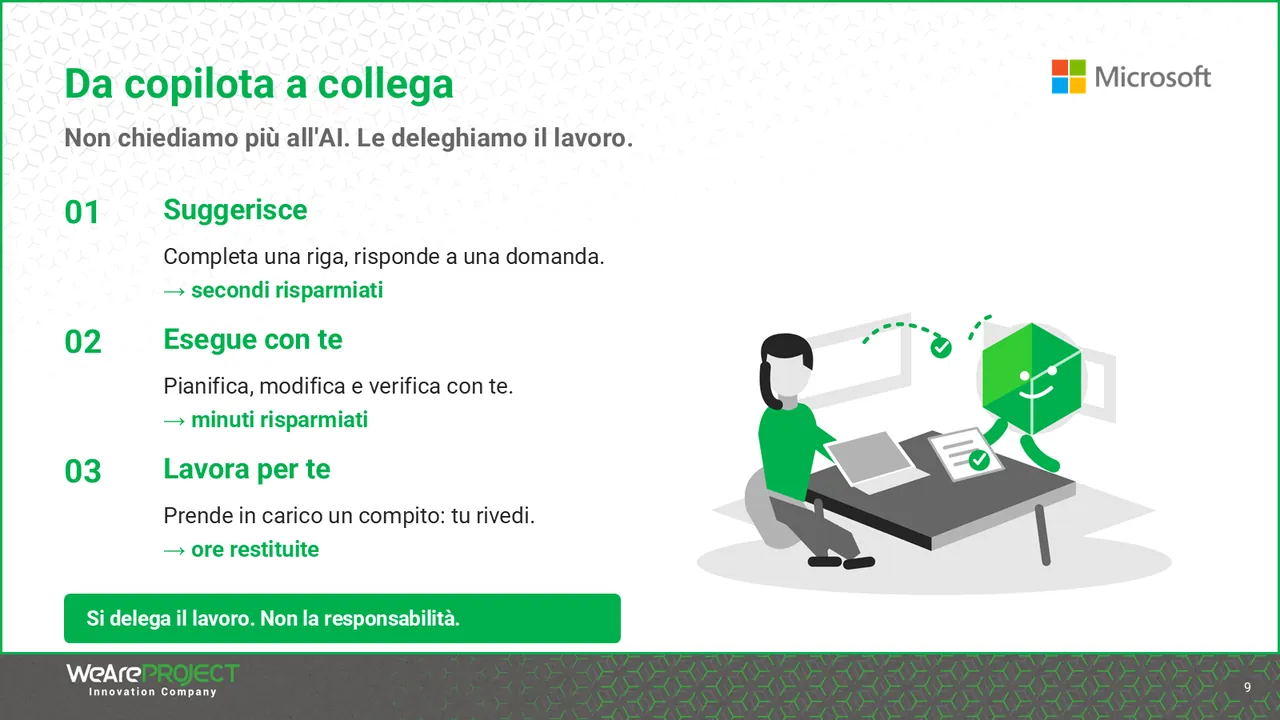
Delegate the work. Not the responsibility.
First colleague: GitHub Copilot
It’s the tool I have the most flight hours with: I use it every day on Azure, scripts, infrastructure as code and documentation. At the time of the session GitHub Copilot had moved well beyond suggestions: it plans, writes, tests and opens pull requests. With Agent HQ and Mission Control, GitHub becomes the headquarters where agents from different providers work inside the flow you already use, and model choice (around thirty models from six providers) stays within the boundaries IT sets.
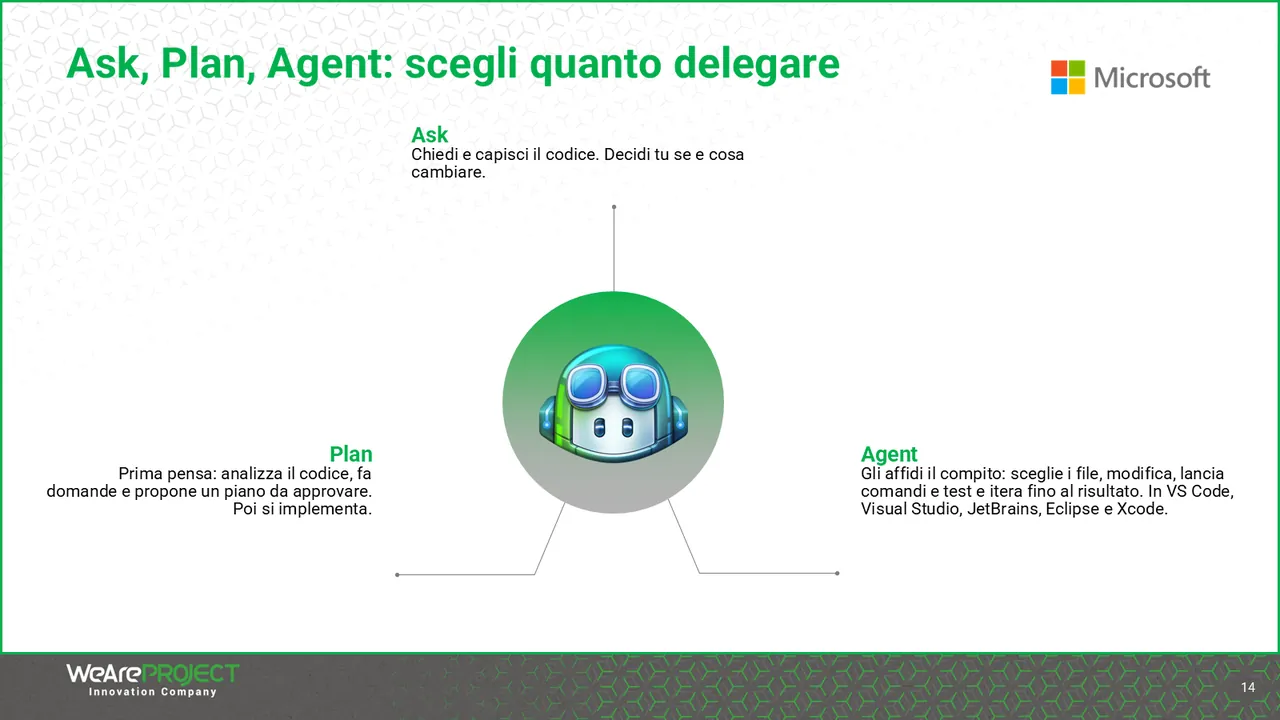
The three modes are the simplest way to decide how much to delegate:
| Mode | What it does | When I use it |
|---|---|---|
| Ask | Answers and explains code, you decide what to change | When I want to understand |
| Plan | Analyzes the code, asks questions, proposes a plan to approve | Before any non-trivial change: the one I use most |
| Agent | Picks files, edits, runs commands and tests, iterates | When the plan convinces me |
I summed up governance with my mantra: power is nothing without control. With GitHub Enterprise and Enterprise Managed Users, developers sign in with their Microsoft Entra ID identity, IT decides which features and models are enabled, sensitive content can be excluded, and there are audit logs and adoption metrics. Two things to remember: Conditional Access requires OIDC, and local prompts don’t end up in the audit log. On the infrastructure side, my post on GitHub Copilot CLI with managed identity describes a setup I actually use.
Second colleague: Microsoft Scout
If Copilot is the developer’s colleague, Microsoft Scout is the colleague of anyone who spends the day across mail, Teams, files and portals. At the time of the session it was in Frontier preview, so not available to everyone and subject to change. It’s a desktop app that works across files, shell, browser and Microsoft 365, shows every step and stops to ask permission before sensitive actions such as sending an email.
Its strength is context: it draws on Work IQ, part of the Microsoft IQ platform, so I don’t have to explain who’s who every time. Four capabilities make it useful: MCP to connect to external data and services, Skills that turn a clear process into a repeatable recipe, Automations that are scheduled or condition-triggered, and PC Use to drive applications with mouse and keyboard. Before starting you need IT readiness: the Frontier program, Microsoft Intune, admin attestation, and a check on licensing and label management. I went deeper on my setup in the post on Microsoft Scout and Windows 365.
Third colleague: Microsoft Foundry
Copilot and Scout are personal colleagues: they work for me, with my permissions. When a company wants an agent that works for everyone, on its own data and under its own rules, it needs a factory. Almost everyone has built a prototype; few have taken it to production, because a useful agent has to know company data, act on ERP, CRM and APIs only where authorized, and be governed: evaluation, risk, cost, monitoring. Foundry brings together a multi-provider model catalog, Agent Service with Entra identities for agents, MCP and tools, Agent Framework for Python and .NET, evaluation, tracing and red teaming, and publishing to Copilot and Teams.
Architectures and demos
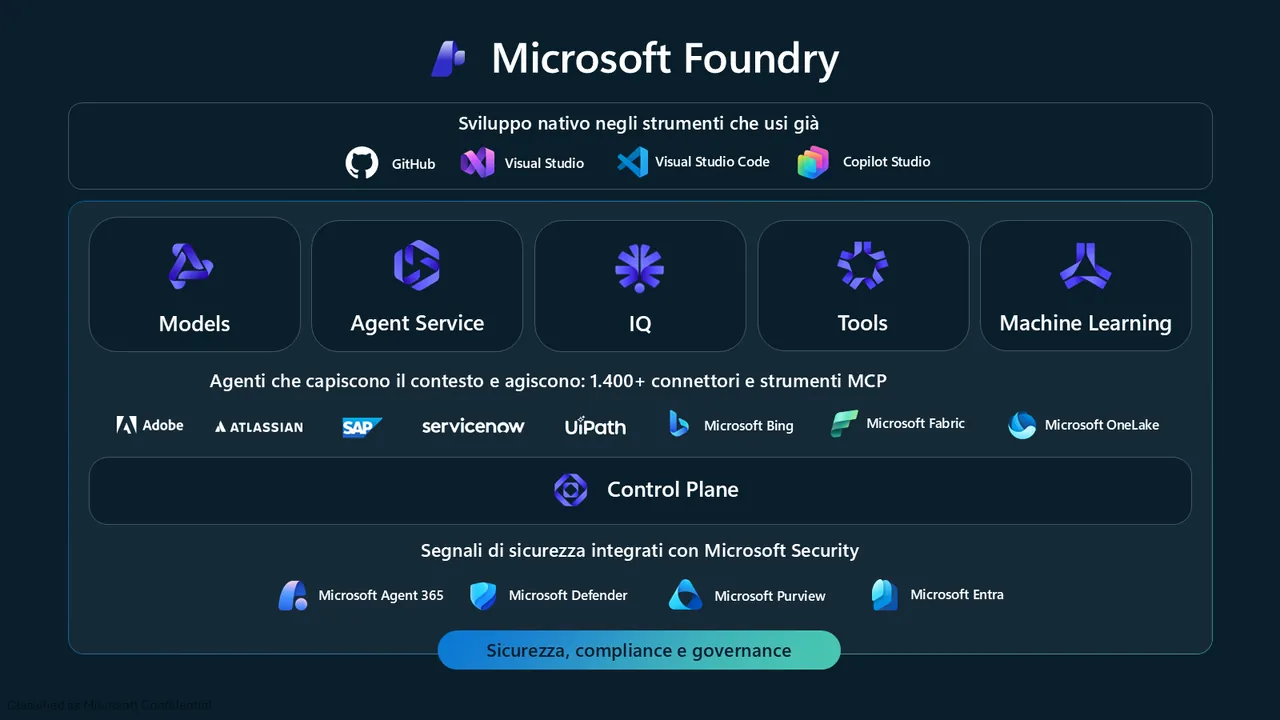
The Foundry stack map (the image at the top) is the one I use to find my way around: development tools at the top (GitHub, Visual Studio, VS Code, Copilot Studio), models, Agent Service, IQ, tools and machine learning in the middle, then more than 1,400 connectors and MCP tools, the control plane, and security signals integrated with Microsoft Agent 365, Defender, Purview and Entra.
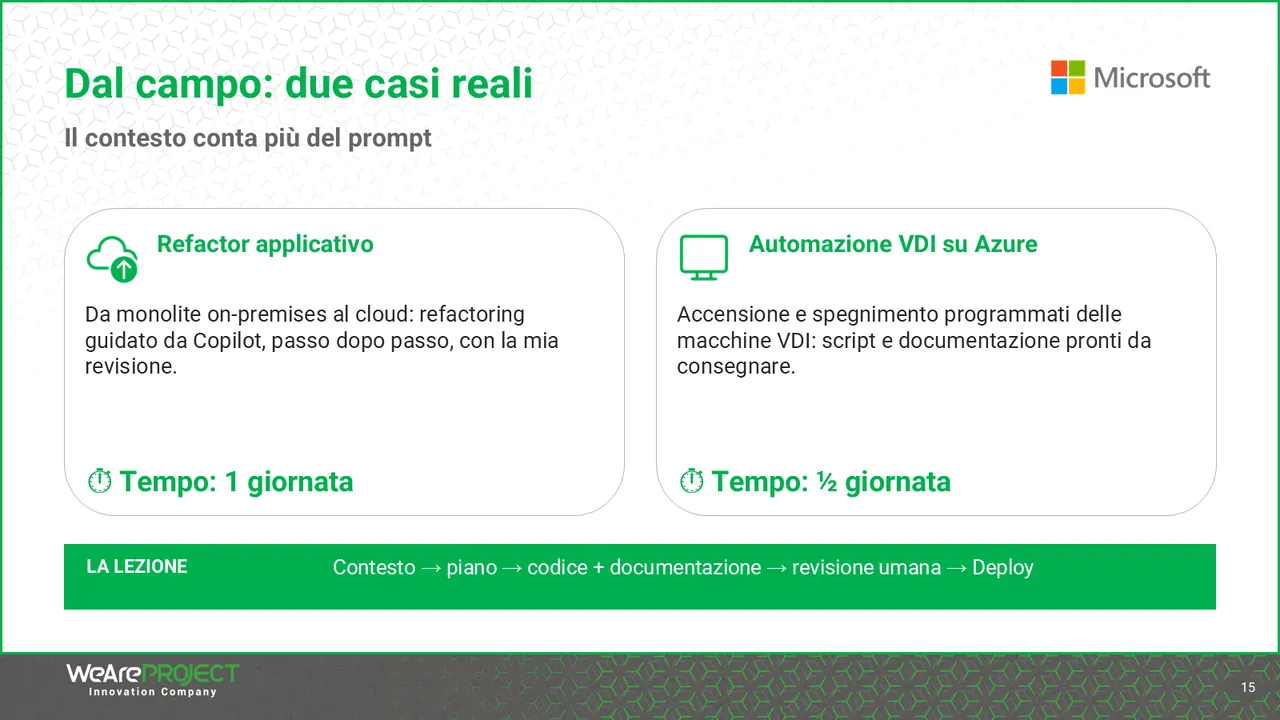
For GitHub Copilot I brought two real cases. The first: a monolithic on-premises application to move to the cloud, with Copilot-guided refactoring step by step and my review at every stage, in one day. The second: scheduled start and stop of VDI machines on Azure, with scripts and documentation ready to hand over, in half a day. The recorded demo showed exactly the moment Copilot asks questions before starting and asks permission to run a command.
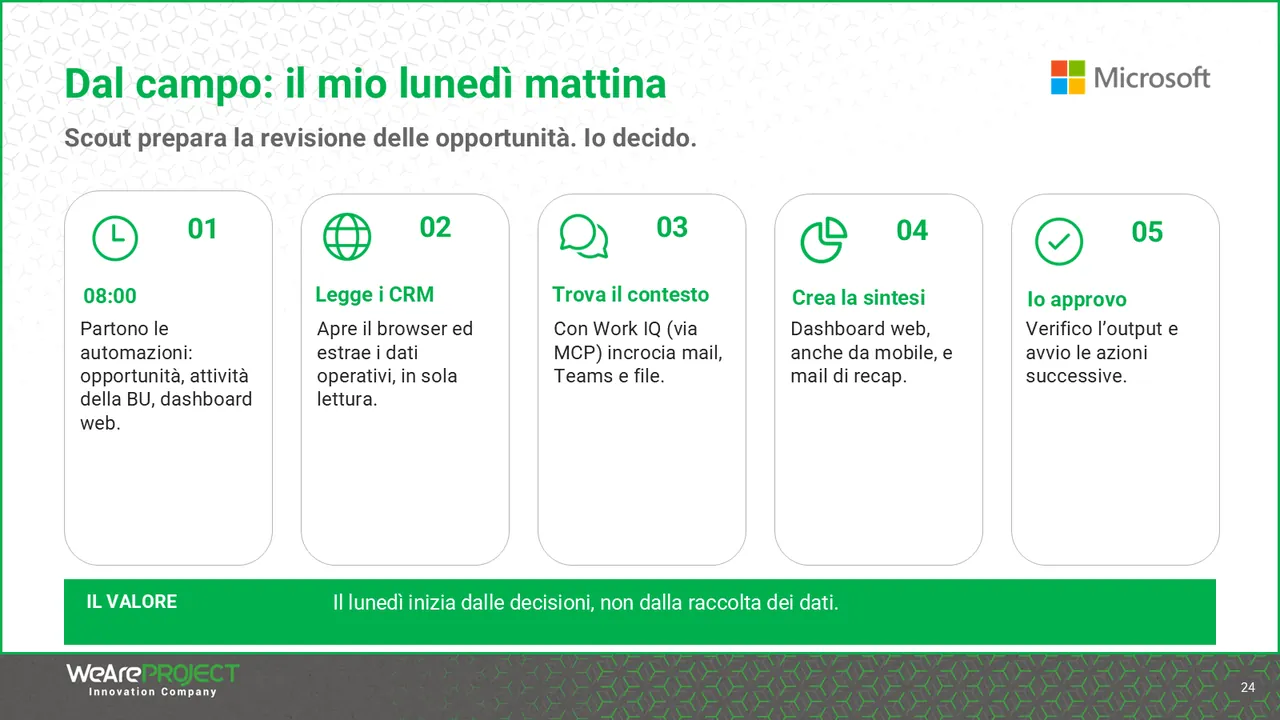
For Scout I described my Monday morning: at 8 the automations kick off, Scout opens the browser and reads operational data from the CRM in read-only mode, cross-references mail, Teams and files through Work IQ via MCP, and prepares a web dashboard I can check from my phone plus a recap email. I verify and trigger the next actions. The live demo used a tenant with demo data, never real data, and showed the steps including the approval request.
For Foundry I showed something I built myself: a Linux VM in Azure Italy North hosting Hermes, an open source agent stack that uses Microsoft Foundry models, picking for each request the model that best fits quality and cost. I talk to it via chat, voice included, and it returns cost and security reports on my Azure environment, read-only and with a managed identity. A similar approach on the desktop side is described in the post on an always-on AI agent on Azure Virtual Desktop.
Lessons from the field and takeaways
- Context matters more than the prompt: with the right context Copilot delivers code and documentation in hours.
- Plan before Agent: having it propose a plan you approve avoids most surprises.
- Without governance AI stays an experiment: Entra ID identity, IT-approved models, audit and metrics need to be decided on day one.
- Scout shines on repetitive work that spans several tools; sensitive actions stay behind approval.
- Treat preview features as previews: readiness, a pilot in a controlled scope, no real data in demos.
- The real leap isn’t the prototype but the agent in production: data, authorized actions, evaluation and monitoring.
- The method doesn’t change by industry: process, skill, workflow, automation. Start from one repetitive, measurable process.
Resources
Microsoft Learn documentation
- Microsoft Scout overview
- What is Microsoft Foundry?
- Microsoft Agent Framework overview
- Microsoft Agent 365 overview
Related blog posts
Other sessions
Azure Copilot Agents: build, deploy, observe… survive
Six specialized Azure Copilot agents and GitHub Copilot for Azure put to work across a workload's lifecycle: where they help, where they don't, and how to keep them under control in production.
- Azure Copilot
- GitHub Copilot for Azure
- Azure Migrate
- Azure Monitor
- Azure MCP Server
- Azure Advisor
Azure Firewall or FortiGate (NVA)? A practical guide to choosing
A practical comparison of Azure Firewall and FortiGate as an NVA: why you need a firewall in Azure, how routing changes everything, and how policies, web filter, TLS inspection, IDPS, WAF and logs compare.
- #POWERCON2026 — Governare la complessità digitale · 24 September 2026
- Global Azure Veneto 2026 · April 2026
- Azure Firewall
- FortiGate
- Azure Virtual Network
- Azure Private Link
- Azure Application Gateway
- Azure Monitor
- +1