Always-on AI agent on Azure Virtual Desktop that works for you
How I built an always-on AI agent on Azure Virtual Desktop with Hermes Agent and GitHub Copilot: Word docs, news digests and Telegram.
Last updated on
Table of Contents
- The idea: cloning what I do at my PC
- Why an always-on AI agent on Azure Virtual Desktop
- What the host pool looks like
- Why AVD
- The stack at a glance
- The tools: Hermes Agent and GitHub Copilot
- GitHub Copilot CLI (and VS Code)
- Hermes Agent
- GitHub Copilot as a model router
- Demo 1: a Word document created by the agent
- Demo 2: a news digest over Telegram with a sub-agent
- Why this matters for small businesses
- Key takeaways
- Watch the video and let’s talk
Lately AI has been eating up pretty much all my spare time, to the point that in the community I barely want to talk about anything else. But I’m not here to talk theory, quantized models or tokens per second. I want to show you how I built an always-on AI agent: a cloud workstation that can work at the PC on my behalf, and how I actually use it day to day.
The idea: cloning what I do at my PC
I asked myself what I could add to my daily workflow, on top of the tools I already use, to drastically speed up my productivity. The slightly provocative answer: clone myself. Why not have an AI agent do what we do at the computer every day?
Think about it: how many PC tasks bore you, add no value, and maybe even require a dedicated hire? Writing meeting minutes, filling in painfully dull documents. People who could be focusing on much higher-value work.
I live in a beautiful Italian region, le Marche, where on top of the difficulty of finding skilled people there’s the classic small business owner starting from zero who then has to scale. That’s exactly where the tools in this post can help a lot.
Why an always-on AI agent on Azure Virtual Desktop
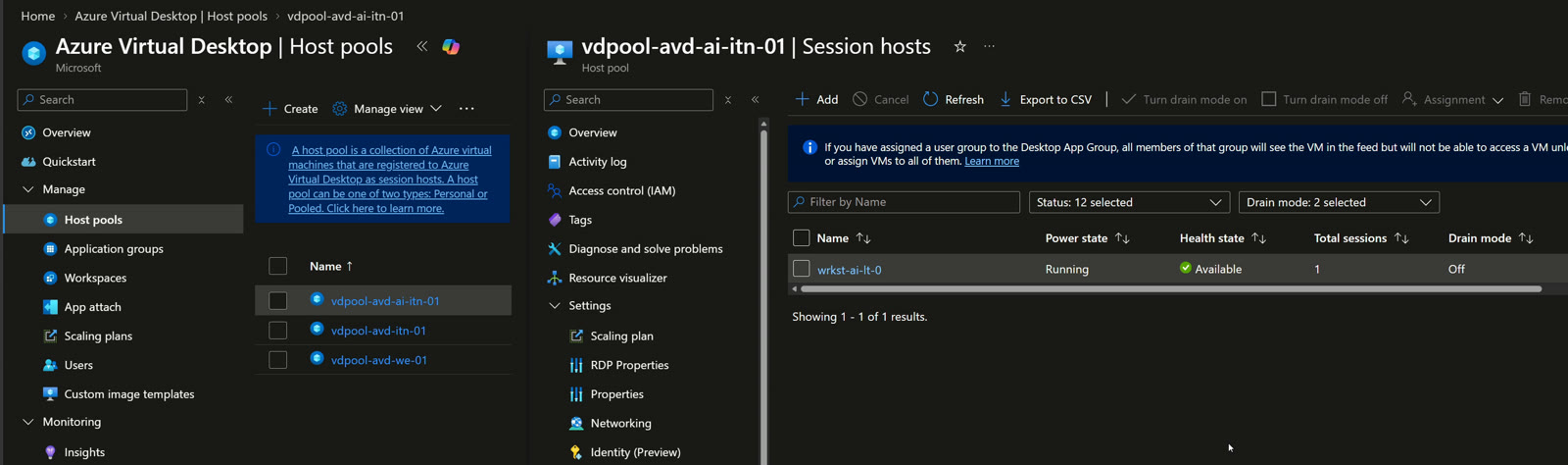
As tradition goes, we start from Azure. In my environment I have a virtual machine, a D-series VM (D8as v7), and inside Azure Virtual Desktop I created a new host pool dedicated to AI.
What the host pool looks like
- A single virtual machine, my workstation, of type personal: I don’t need a pooled environment.
- A test user assigned to it.
- The tools I use every day: Word, Excel, PowerPoint, 7-Zip, Chrome, Firefox and the rest.
Under the hood it’s a plain Windows 11 machine with Git, Visual Studio Code, SQL Server Management Studio and GitHub Copilot CLI installed.
Why AVD
Why AVD specifically? Because I can reach my machine, with all the AI tools running on it, from any device: phone, laptop, tablet, iPad.
Then there’s cost and convenience. When the session has been disconnected for a while, the machine shuts down automatically. When I need it, I rely on Start VM on Connect, the AVD feature that powers on the VM as soon as a user tries to connect: I click in the Windows App, the machine boots and my AI services start on their own.
Security isn’t an afterthought either: access goes through conditional access policies with risky user and risky sign-in checks. Full identity protection, dead-simple access.
The stack at a glance
| Component | Role |
|---|---|
| Azure Virtual Desktop (personal host pool) | Windows 11 workstation reachable from any device |
| Start VM on Connect + automatic shutdown | The VM runs only when needed |
| Conditional access | Identity protection (risky user, risky sign-in) |
| GitHub Copilot CLI | Work sessions you can launch even from your phone |
| Hermes Agent | The agent operating the PC, from terminal, app or Telegram |
| GitHub Copilot as model router | Access to every model available in Copilot |
The tools: Hermes Agent and GitHub Copilot
There are two key AI tools.
GitHub Copilot CLI (and VS Code)
With GitHub Copilot CLI I can pick up sessions running on the workstation, even from the GitHub mobile app. I use my own Azure environment for community work, but that’s also where I reproduce customer scenarios. Picture firing off a task from your phone: “I have a customer with these two or three things, stand up the infrastructure for me”, or “check why the app isn’t working”, “build me an automation”, “use Azure SRE Agent”. All driven from my phone. GitHub Copilot CLI will get its own episode.
Hermes Agent
Hermes Agent is by far my favorite agent solution. I find it much smarter than OpenClaw, especially at remembering things you’ve already told it: OpenClaw felt slower there and tends to repeat the same judgment mistakes, even after I asked it to note a specific setting. To be fair, it’s making big strides, and it may get a dedicated video.
You can use Hermes from the Windows app (honestly, I only mildly like it), from the terminal and, just like GitHub Copilot, from a Telegram bot.
GitHub Copilot as a model router
Here’s a detail I love: in Hermes you can use GitHub Copilot as a model router. Log in to GitHub Copilot and you get access to every model available in Copilot. In my demo Hermes was running on Claude Opus 5.
The big win is that you’re not locked into only OpenAI models or only Anthropic models. Same story with Foundry: you pick the platform, which is what really matters, and then whichever model you prefer.
Demo 1: a Word document created by the agent
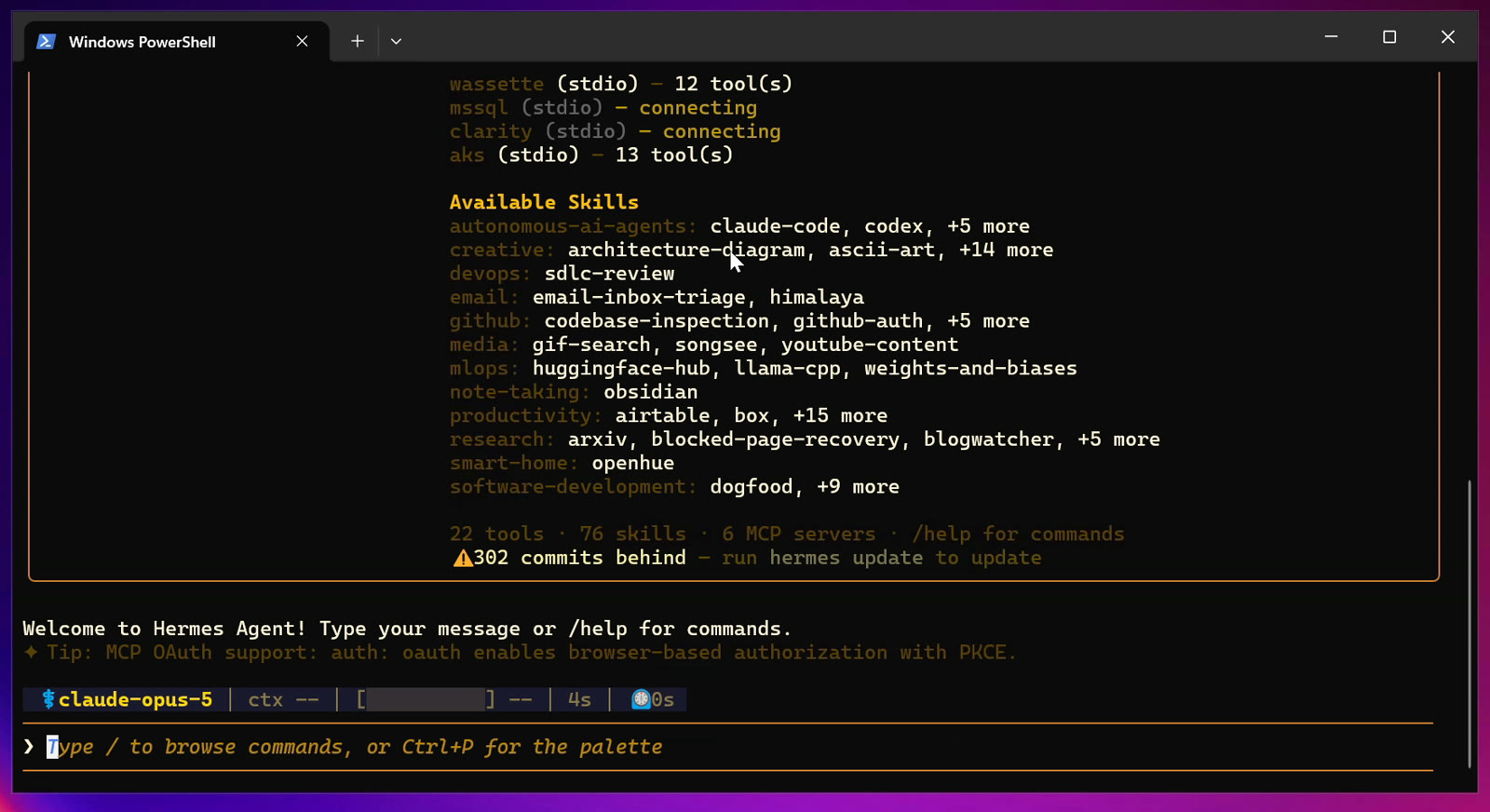
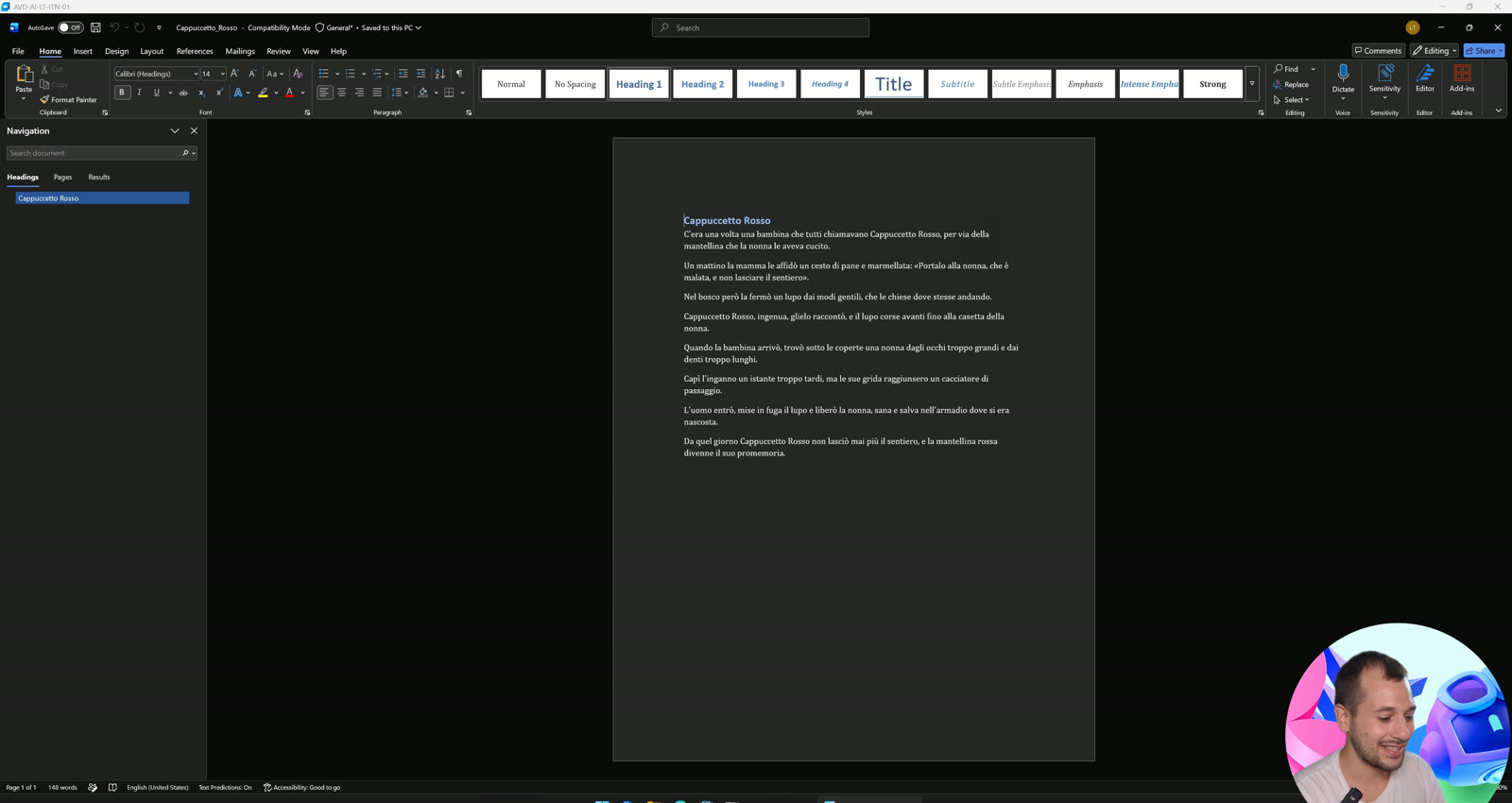
In PowerShell I type hermes and the agent starts inside my session. I ask it: “write a short Little Red Riding Hood story in a Word file, 10 lines max”. No skills, no special setup: these are capabilities it already has. It creates the file and, when I ask it to open it, Word pops up with the document ready, built with the same business tools we all use.
Now imagine you have a work template, in my case a presales document or meeting minutes. Turn that process into a skill, essentially a recipe for what the AI should do, and assign it to Hermes Agent. My rule is simple: before I start working on something, I ask myself whether I can delegate it.
My rule of thumb: before I start working on something, I ask myself whether I can delegate it.
Demo 2: a news digest over Telegram with a sub-agent
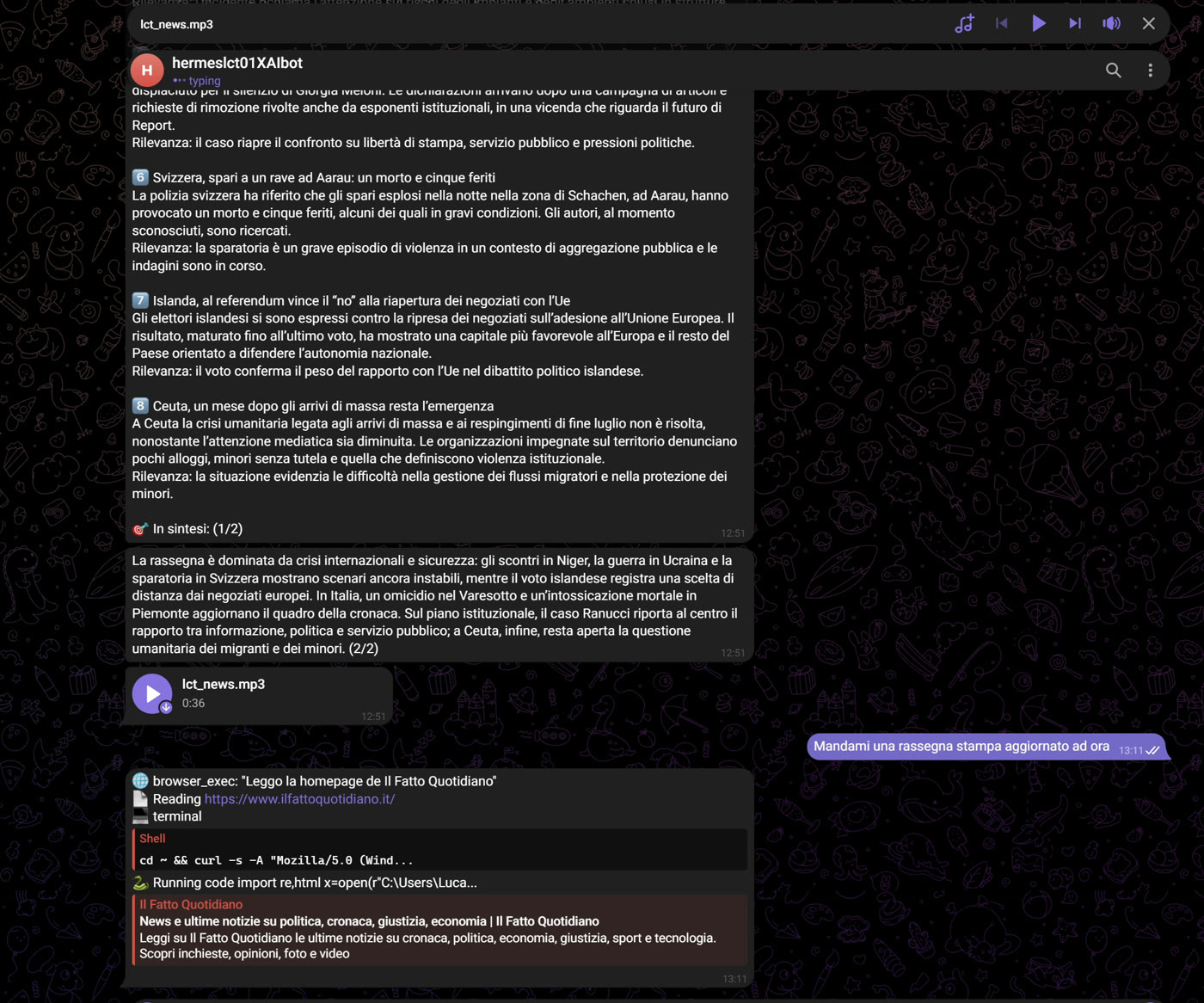
The most fun thing I built: from the Telegram bot I ask “send me an up-to-date news digest”. The answer comes back fast because I configured a dedicated sub-agent that pulls news from a newspaper (the first one Google gave me, nothing political about it) and produces a complete digest. Then, using the text-to-speech configured in Hermes, it sends me a short summary as a voice message.
Why so fast? Since GitHub Copilot gives access to many models, I told that sub-agent to use GPT-5.6 Luna. This month there was also a discount on OpenAI models, and if you check Luna’s pricing you’ll find it really attractive.
Why this matters for small businesses
Think about what it means today to launch your business with a tool that effectively gives you a dedicated team. You can compete with companies you couldn’t have competed with before: that quality, that speed, that automation simply wouldn’t have been possible. I’ll admit it, this is the part I enjoy most, and I lose sleep over it.
And this isn’t a POC: these are tools I genuinely use in my personal workflow.
Key takeaways
- An always-on AI agent can live on a personal workstation in Azure Virtual Desktop, reachable from any device.
- Automatic shutdown plus Start VM on Connect keeps the VM running only when needed.
- Conditional access with risky user and risky sign-in checks protects the identity.
- Hermes Agent with GitHub Copilot as model router gets access to all Copilot models: choose the platform first, then the model.
- Skills and sub-agents turn repetitive processes (documents, minutes, news digests) into delegable tasks, even from Telegram.
Watch the video and let’s talk
The full demo is in the YouTube video, and you’ll find more on my YouTube page. Want to know more about me? Check About. Thinking about building something similar for your team or company? Reach out on LinkedIn or via the Sessionize contact form.

Written by
Cloud Solution Architect and Microsoft Azure MVP: landing zones, networking, security and hybrid cloud from the field.
Related articles
GitHub Copilot CLI with managed identity: hub & spoke on Azure
I run GitHub Copilot CLI on Azure Virtual Desktop with the VM's managed identity and MCP servers to deploy a hub & spoke network on Azure.
Microsoft Scout: I cloned my work PC and started truly delegating
Microsoft Scout on Windows 365 with GitHub Copilot: prerequisites, how it differs from Copilot Cowork, custom MCP servers and the process-to-skill method.
FortiGate in Azure: protecting PaaS with Private Endpoint
FortiGate in Azure and Private Endpoint: inspect traffic to PaaS services with UDR, NSG, private DNS and SNAT. Demo with storage account and AVD.