A Cloud Engineer and GitHub Copilot: my field experience after two years
After two years of GitHub Copilot on Azure projects, what changed: Plan mode, model choice, two real cases (AVD automation and an Azure Firewall migration) and how to govern AI in the enterprise with GitHub Enterprise.
- Events
-
- Global Azure Torino 2026 · · Turin · Conference
- Level
- Intermediate
The problem and the context
This session is the field follow-up of Choosing the right Copilot. There I explained how a System Engineer can start using GitHub Copilot; here, after two years of daily use on Azure projects, I share what really worked, what changed in the tool and what you need when moving from personal use to company-wide adoption.
The starting point is the same: in a few years AI has changed the tools of our trade, and panic is the enemy of progress. Those who choose to learn, like Dorothy Vaughan at NASA studying Fortran when IBM computers arrived, turn change into opportunity. The difference, two years later, is that the question is no longer “should I use it?” but “how do I use it well, and how do I govern it?”.
The session is for cloud engineers, sysadmins and architects who already use some AI at work, and for those who must decide how to make it available to their teams in a controlled way.
Key content
What changed in GitHub Copilot
GitHub Copilot is no longer “a VS Code extension”. At the time of the session it is available in Visual Studio, VS Code, JetBrains, Neovim, Xcode and, in preview, even SQL Server Management Studio: not a small detail for people coming from operations. The basics still hold: code completion (which only works well when you know what you want), explaining and commenting inherited scripts, and GitHub Copilot for Azure, which brings Microsoft documentation and your own cloud environment into the chat. Compared with the first version of the talk, I use Copilot for Azure more and more not only to query the environment but to document it.
Plan, Ask and Agent
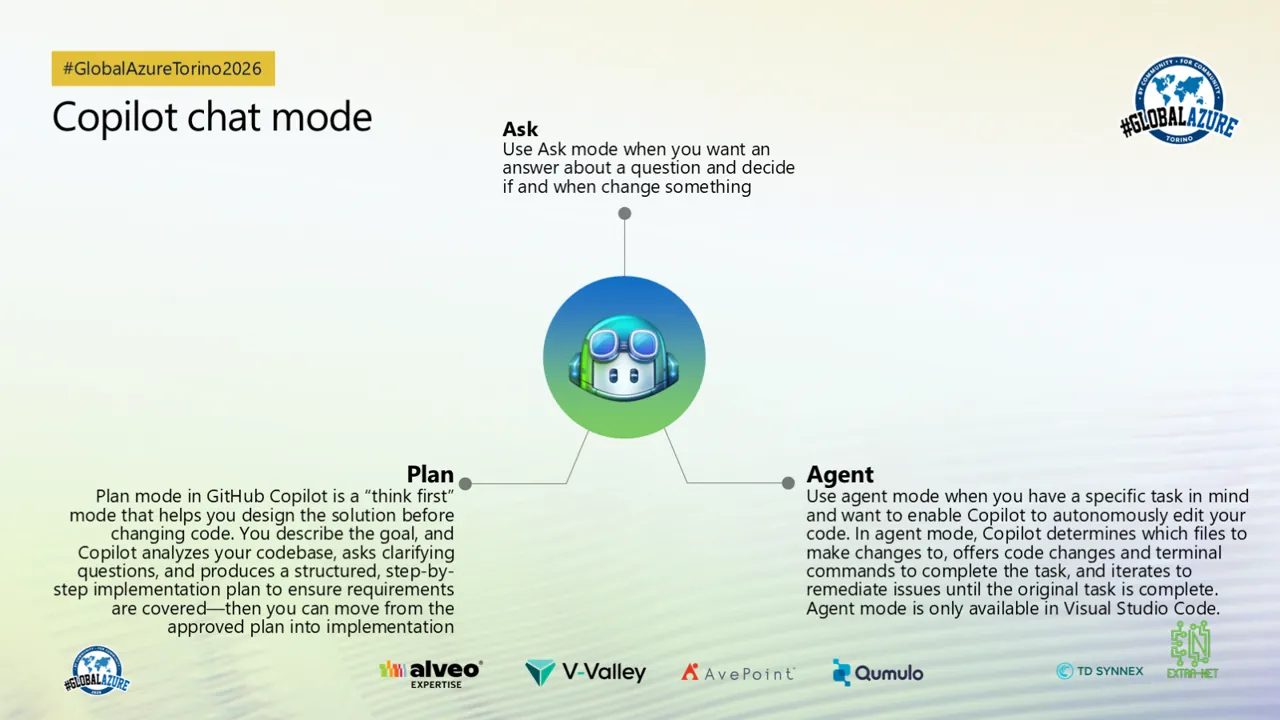
The chat modes have changed. Next to Ask (answer, then I decide) and Agent (you have a goal: edit files, run commands and iterate until it’s done) there is now Plan: a “think first” mode. I describe the goal, Copilot analyses the codebase, asks clarifying questions and produces a structured, step-by-step plan. Only once the plan is approved do we move to implementation. For anyone working on production infrastructure, this is the mode that changed my way of working the most.
Choosing the model
The model catalogue has grown too: at the time of the session the chat offers models from OpenAI, Anthropic (Claude), Google, GitHub/Microsoft, xAI and DeepSeek. More choice means more responsibility: for a company not all models are equal, and that’s where governance comes in.
Bringing AI into the company means governing it
“Power is nothing without control.” GitHub Enterprise provides an enterprise account as a single point of administration for organisations, access, policies and authentication. Two aspects I always raise with customers:
| Need | What GitHub Enterprise offers |
|---|---|
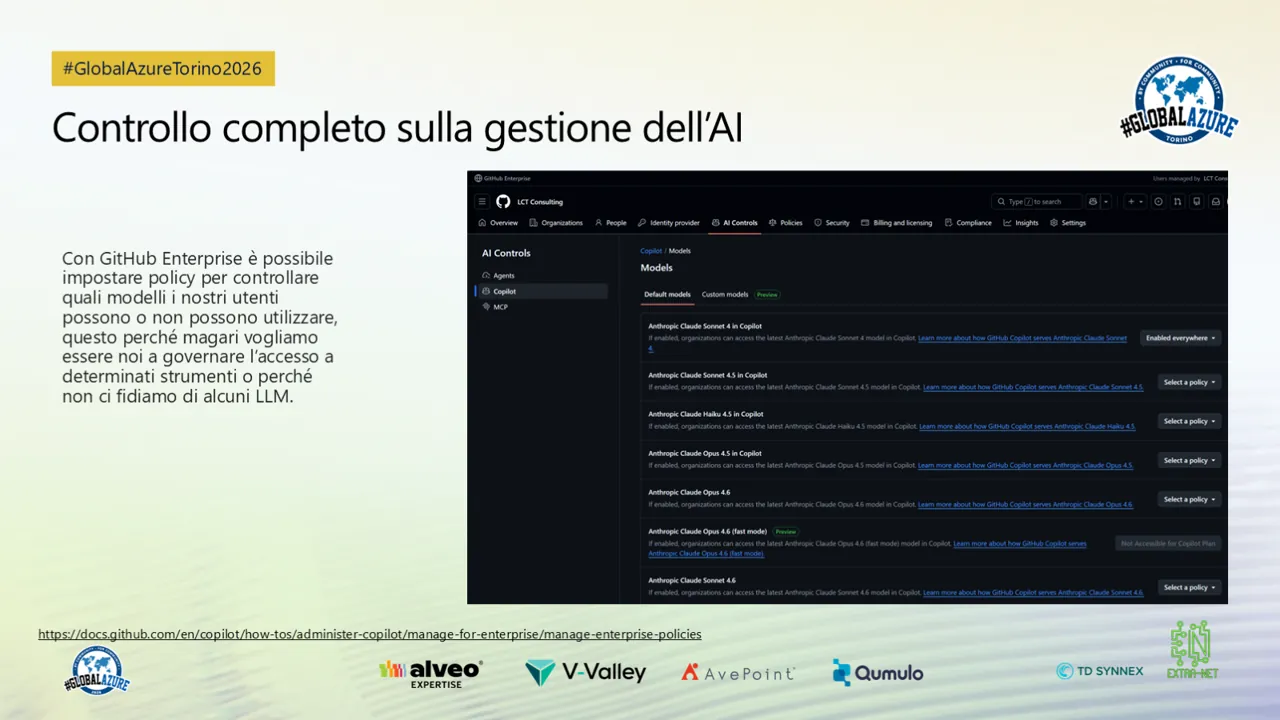
| Decide which models users can use | Enterprise-level policies to enable or block individual Copilot models |
| Use corporate identities | Enterprise Managed Users with OIDC, SAML and SCIM: sign in to GitHub with your Microsoft Entra ID account and the same policies defined in the tenant |
| Centralised administration | One enterprise account governing organisations, access and authentication |
AI is not just a tool to use, but a technology to govern according to the company’s needs.
Architectures and demos
As in the first session, the case studies are set in “LCT Consulting”, a fictional company.
Case #1: automation for Azure Virtual Desktop
The request: an Azure automation to start and stop the virtual desktops, dynamically target a specific pool of machines, put them in drain mode and disable scaling. I had half a day, some existing scripts to rework and adapt to a multi-subscription context, and I had to deliver both code and documentation.
I used the “prompt like a PRO” techniques from the first session, including letting Copilot write the prompt. The real difference came after the code: I asked Copilot, based on the codebase, for a markdown file with a step-by-step implementation guide (including RBAC roles), a code explanation and an architecture sketch.
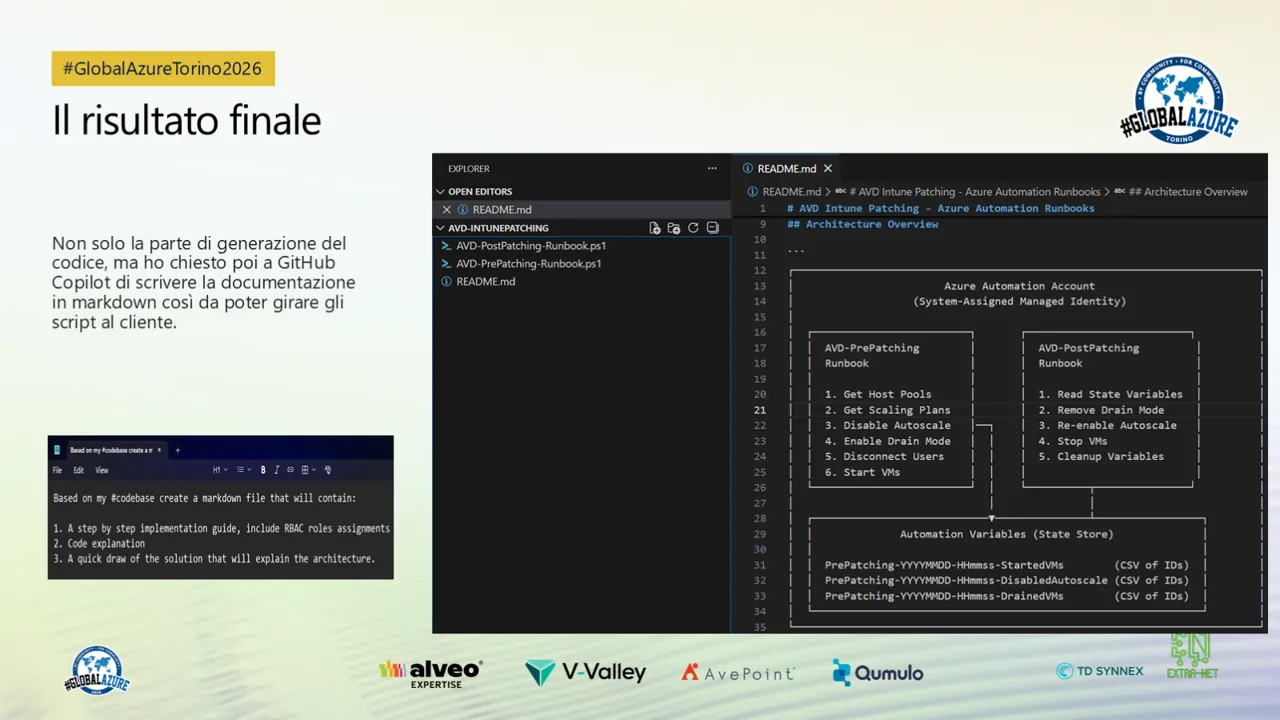
The diagram shows an Automation account with a system-assigned managed identity and two runbooks: a pre-patching one (gets host pools and scaling plans, disables autoscale, enables drain mode, disconnects users and starts the VMs) and a post-patching one that reads the saved state, removes drain mode, re-enables autoscale and stops the VMs. The script was then deployed in the customer’s environment with the right parameters to run on its own.
Case #2: moving an Azure Firewall to Italy North
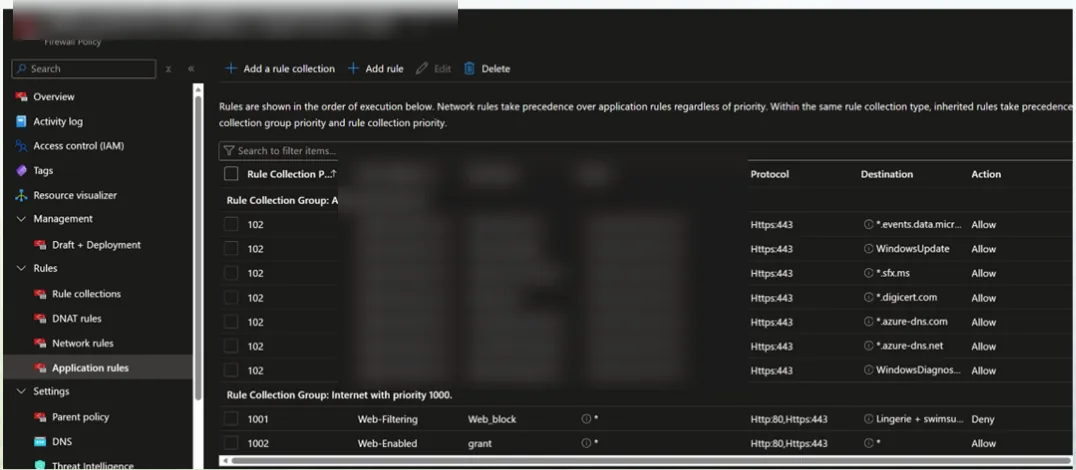
A customer needed to replicate its Azure Firewall from West Europe to Italy North to build a Disaster Recovery site. Same workloads, but different networks and therefore different rules. One day available, no documentation of the Azure objects, and a firewall that had not been deployed with a DevOps approach.
I started from an export of the existing policy template, put it in an “AS-IS” folder in the codebase and asked Copilot for a new Italy North policy with the same IP Groups but new IPs and names.
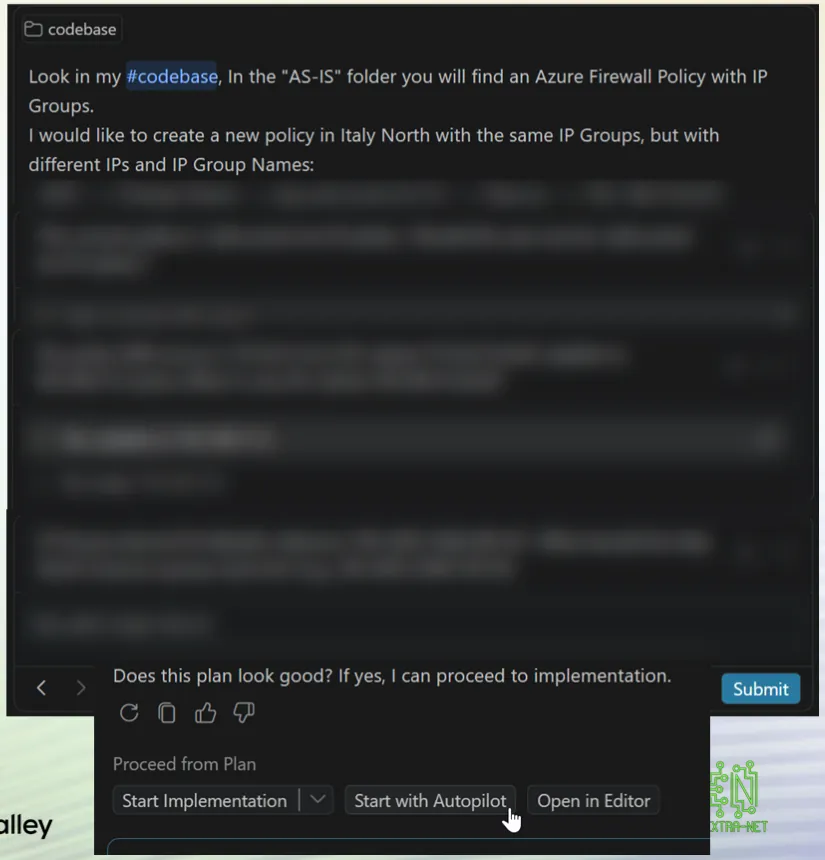
What struck me was the dialogue: before writing a single line, Copilot asked me to confirm the new policy name, how to translate the DNS address into the new subnet and what to call the resource group in the new region. Only then did it propose the plan, with the choice between guided or autonomous implementation.
Governance in practice
In the final part I show the GitHub Enterprise console with the AI controls, where for each model you choose whether to enable it everywhere or let organisations decide.
Lessons from the field and takeaways
- Plan mode is the most useful change of the last two years: clarifying questions catch mistakes before they end up in code.
- Starting from a real export (templates, existing scripts) in the codebase gives far more reliable results than a descriptive prompt.
- Asking Copilot for documentation together with the code is the fastest way to deliver something the customer can actually operate.
- Generated names, IPs and rules must always be checked: Copilot speeds things up, but the firewall is still my responsibility.
- In a company, model choice shouldn’t be left to individuals: govern it with GitHub Enterprise policies.
- Identities must be corporate ones: with Enterprise Managed Users and Microsoft Entra ID the same tenant policies apply.
- People who know how to use AI are worth double, but continuous learning never stops. For another example outside the IDE, read GitHub Copilot CLI with managed identity.
Resources
Microsoft Learn documentation
- Introduction to GitHub Copilot for Azure
- Azure Firewall policy overview
- Autoscale scaling plans for Azure Virtual Desktop
- Azure Automation overview
- Configure GitHub Enterprise Managed User for automatic user provisioning
Recordings
Related blog posts
Other sessions
Azure Copilot Agents: build, deploy, observe… survive
Six specialized Azure Copilot agents and GitHub Copilot for Azure put to work across a workload's lifecycle: where they help, where they don't, and how to keep them under control in production.
- Azure Copilot
- GitHub Copilot for Azure
- Azure Migrate
- Azure Monitor
- Azure MCP Server
- Azure Advisor
Agents at work – l'intelligenza che agisce
Three digital colleagues in half an hour: GitHub Copilot for developers, Microsoft Scout for people working across mail, files and portals, Microsoft Foundry for enterprise agents. Real cases, demos and one rule: delegate the work, not the responsibility.
- Agents at Work: Meet Your New Colleagues — WeAreProject · 13 October 2026
- GitHub Copilot
- Microsoft Scout
- Microsoft Foundry
- Work IQ
- Microsoft Entra ID
- Microsoft Intune