Azure Migrate: Validation failed during the discovery of a Hyper-V cluster
Troubleshooting an Access is denied error during Azure Migrate discovery on a Hyper-V cluster and resolution via the WSMan MaxEnvelopeSizeKb configuration.
Last updated on
Scenario
The customer has a two-node Hyper-V cluster based on Windows Server 2019, with SAN-type shared storage.
The cluster was updated to the latest available update and there were no significant errors in the cluster logs.
The activity involved installing Azure Migrate to run the discovery of the entire Hyper-V environment, with the goal of evaluating a possible migration to Microsoft Azure.
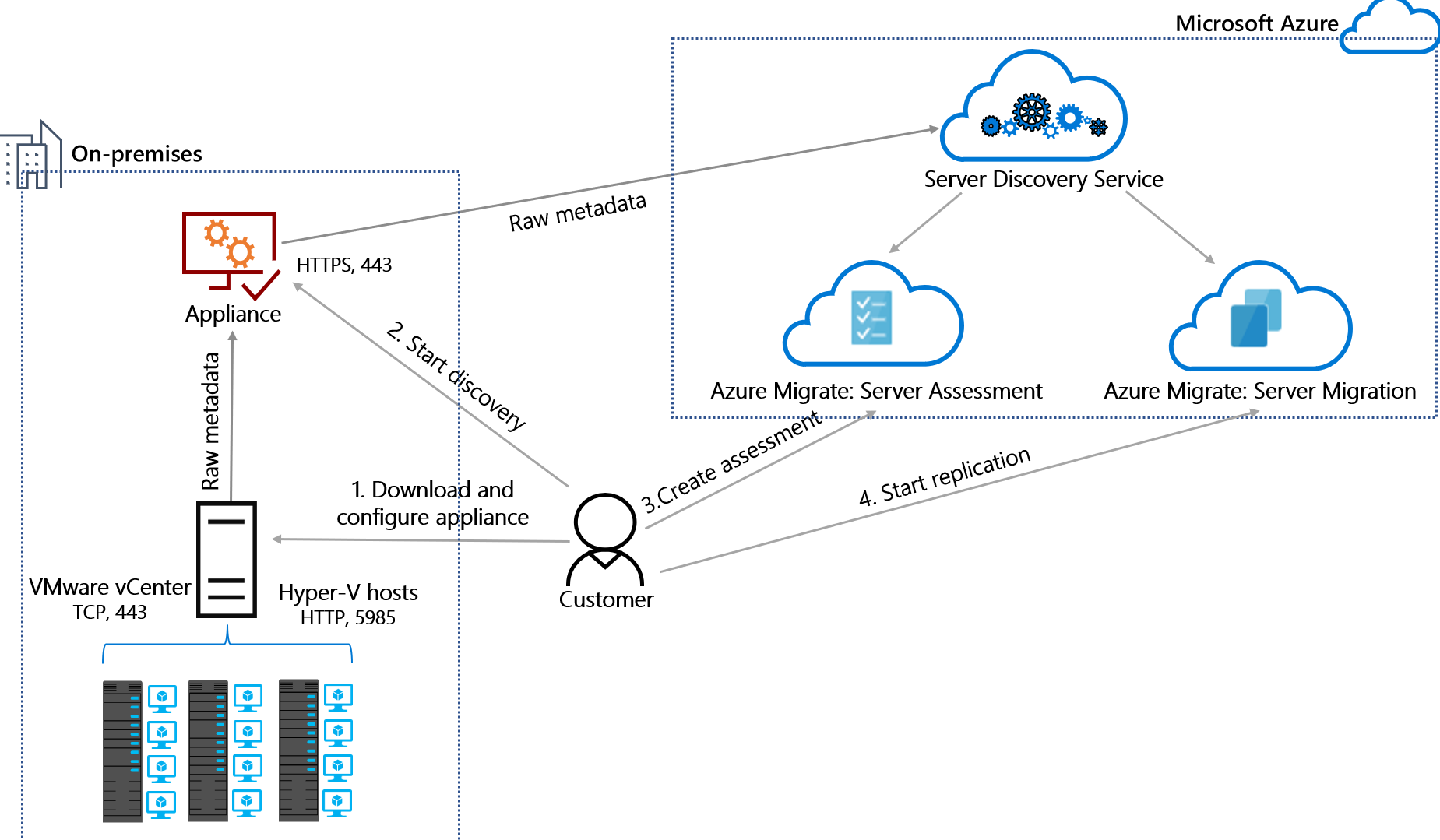
Figure 1: functional diagram of Azure Migrate Discovery.
All the prerequisites required for the discovery functionality were verified and met according to the official Microsoft documentation.
On the ICT Power website there is various material that explains in detail how Azure Migrate works. In this article I will focus on the problem encountered and on the solution implemented.
Configuring the Azure Migrate appliance
We imported the Azure Migrate appliance into a Hyper-V host, without making it part of the cluster.
After connecting via RDP to the virtual machine, we started the discovery process using the Web Application provided by the appliance, starting from Step 1, where some essential prerequisites are verified, including:
- connectivity to Azure;
- time synchronization;
- appliance registration;
- Web App update.
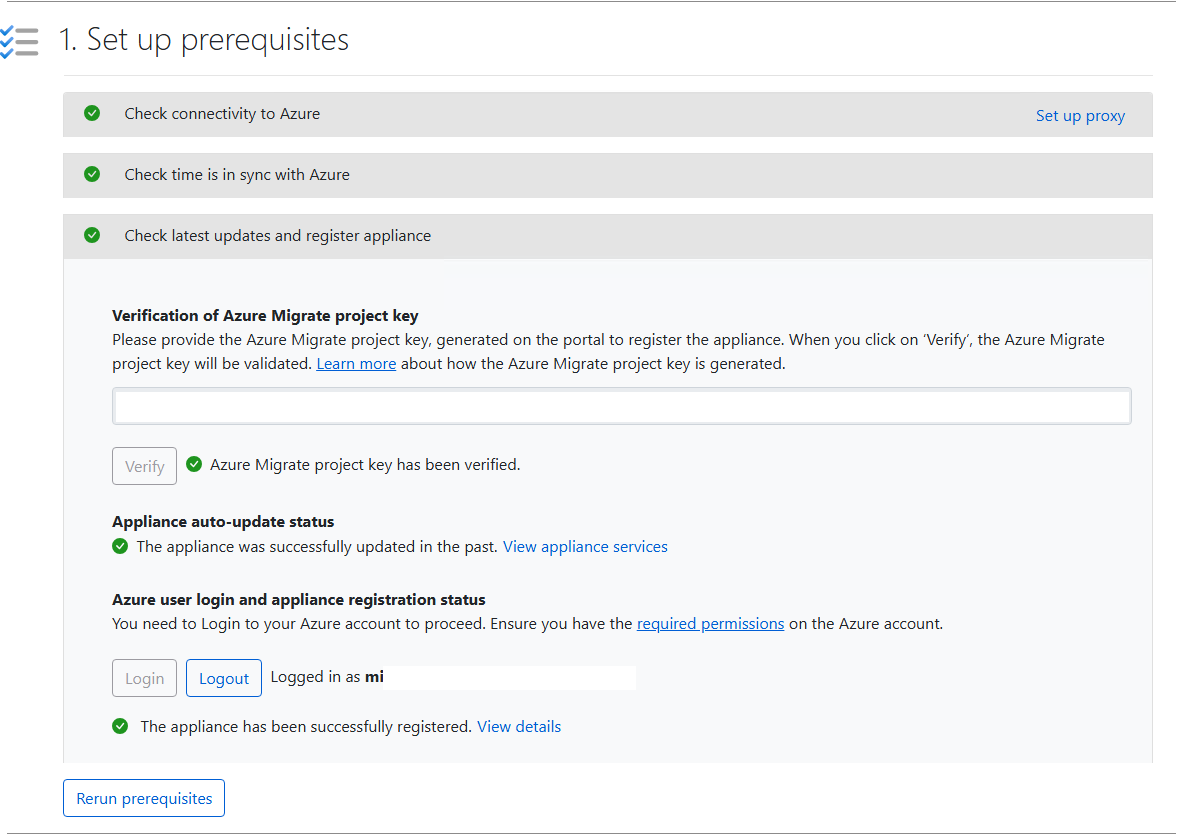
Figure 2: verification of the Step 1 prerequisites of Azure Migrate.
As you can see from the figure, the entire first step was successful.
During the second step we added a valid set of credentials for connecting to the Hyper-V cluster, named CRED01.
All the network ports required for communication between Azure Migrate and the Hyper-V cluster were also opened.
Subsequently, following the order of entry proposed by the appliance, we added the FQDN name of the Hyper-V cluster and associated the specified set of credentials.
At this point the wizard returned a generic Validation failed error in the Status column.
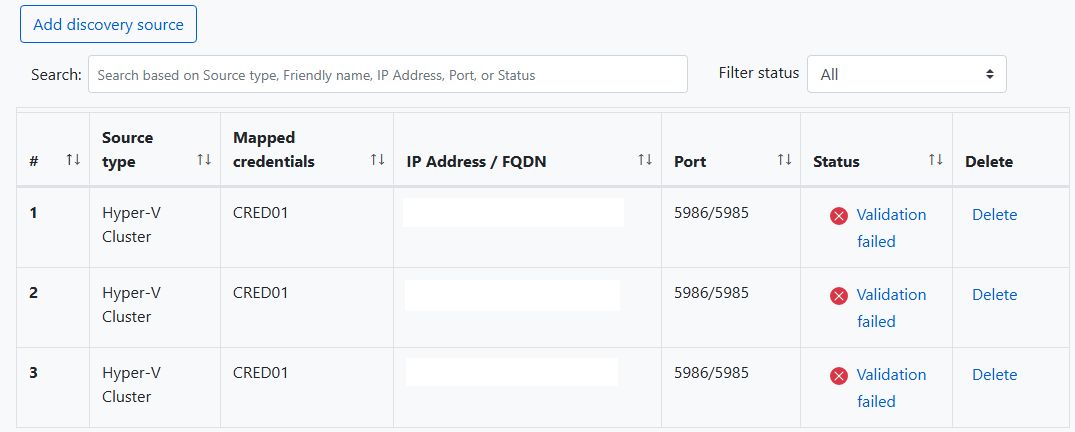
Figure 3: error presented while adding the Hyper-V cluster.
We also tried adding the cluster nodes individually, but the behavior did not change.
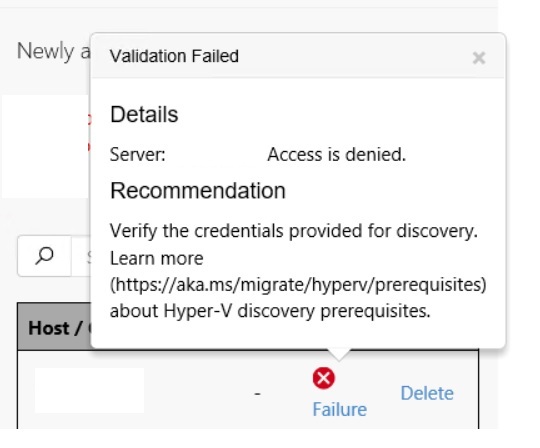
Figure 4: detail of the error returned by Azure Migrate during discovery.
The error detail was not very explanatory:
Access is denied.This situation required a deeper look at the system Azure Migrate uses to generate logs and at the path where they are stored.
Log analysis
We checked the logs within the following path present on the VM dedicated to Azure Migrate:
C:\ProgramData\Microsoft Azure\Logs\ConfigManagerInside the folder we opened the file:
ApplianceOnboarding-Portal-<Current Date>In the log file we identified the error reported below.

Figure 5: detail of the error present in the Azure Migrate log.
The relevant message was the following:
"Message": "Hit issue while fetching host instances.
Query: SELECT * FROM Win32_ComputerSystem
Exception details:
Microsoft.Management.Infrastructure.CimException:
The WS-Management service cannot process the request because the XML is invalid."
Before proceeding with further attempts we checked some basic aspects.
Preliminary checks
Checking WinRM ports
We verified that the WinRM ports were open, in particular port TCP 5985, from the Azure Migrate VM to the Hyper-V hosts.
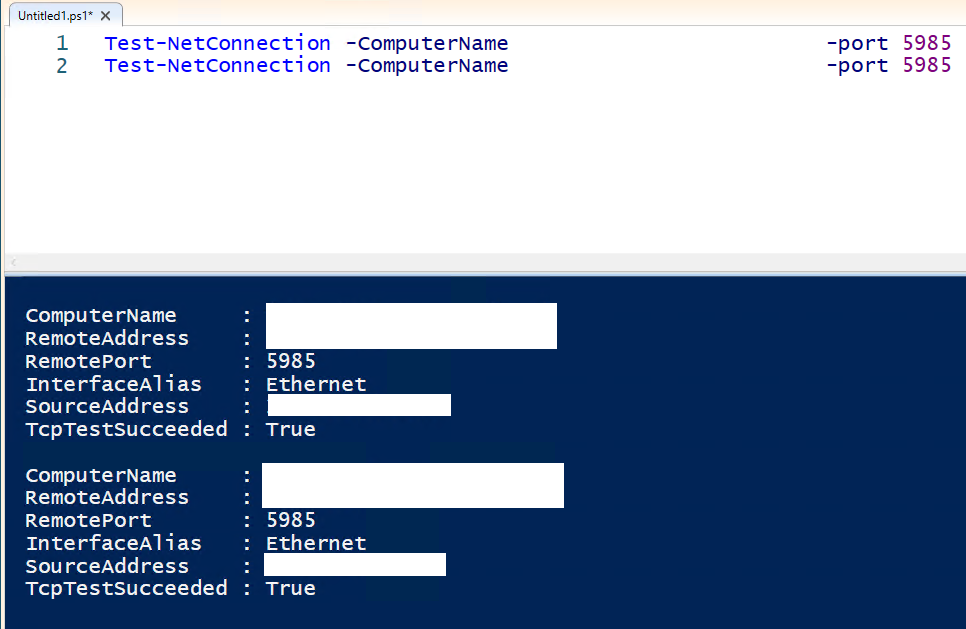
Figure 6: verifying that the WinRM ports are open from the Azure Migrate VM to the Hyper-V hosts.
Checking the WinRM connection
We also verified the WinRM connection from the Azure Migrate VM to the nodes of the Hyper-V cluster.
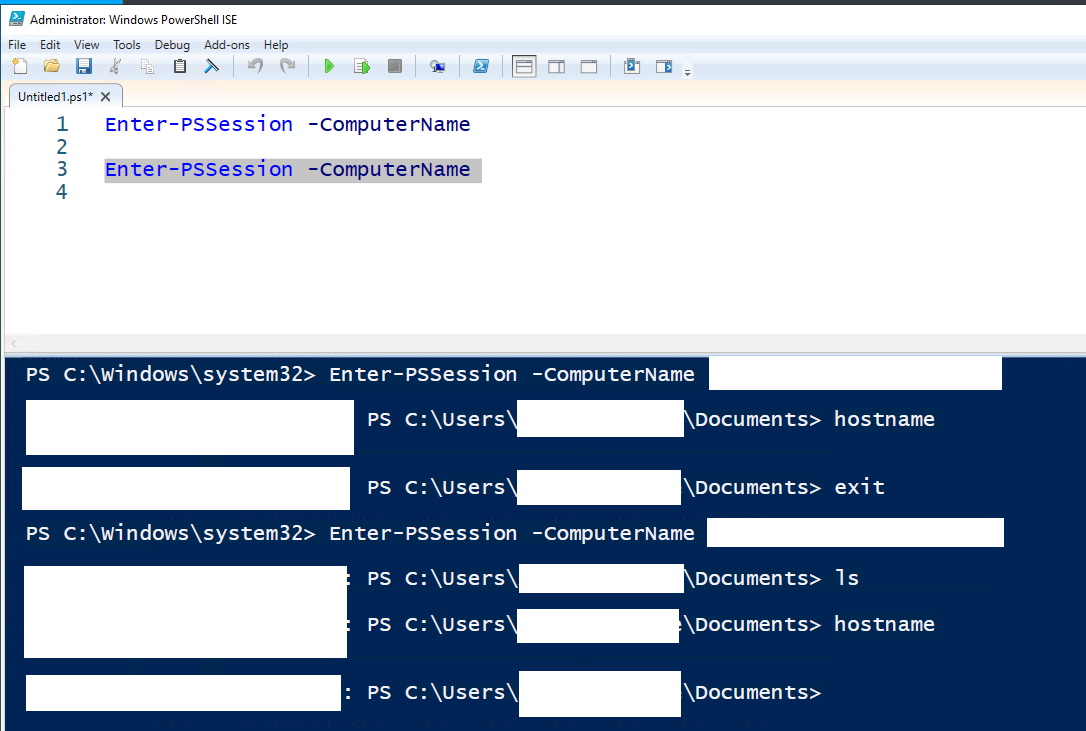
Figure 7: verifying the WinRM connection from the Azure Migrate VM to the nodes of the Hyper-V cluster.
Checking DNS
Finally, we verified the correct DNS resolution from the Azure Migrate VM.
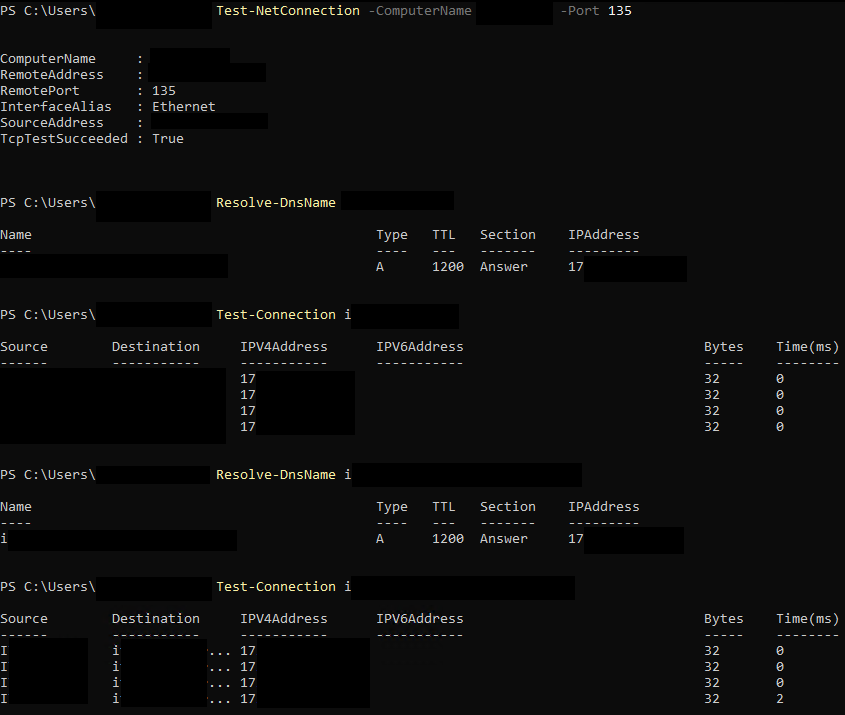
Figure 8: verifying DNS resolution from the Azure Migrate VM.
Following these checks we opened a ticket and started a more in-depth investigation to understand the cause of the problem.
Solution
After the time needed for proper troubleshooting, together with Sami Hasine, we recovered a solution already used in the past on Hyper-V to fix a problem related to WinRM.
The change consists of increasing the value of the WS-Management envelope size parameter on all the nodes of the Hyper-V cluster.
The PowerShell command used is the following:
Set-Item -Path WSMan:\localhost\MaxEnvelopeSizeKb -Value 4096The default value was 500, as shown in the following figure.
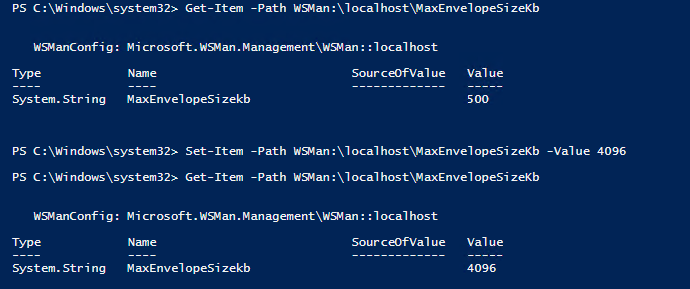
Figure 9: command executed on both Hyper-V hosts to change the WSMan MaxEnvelopeSizeKb value.
After applying the change on both Hyper-V hosts, we ran the discovery again.
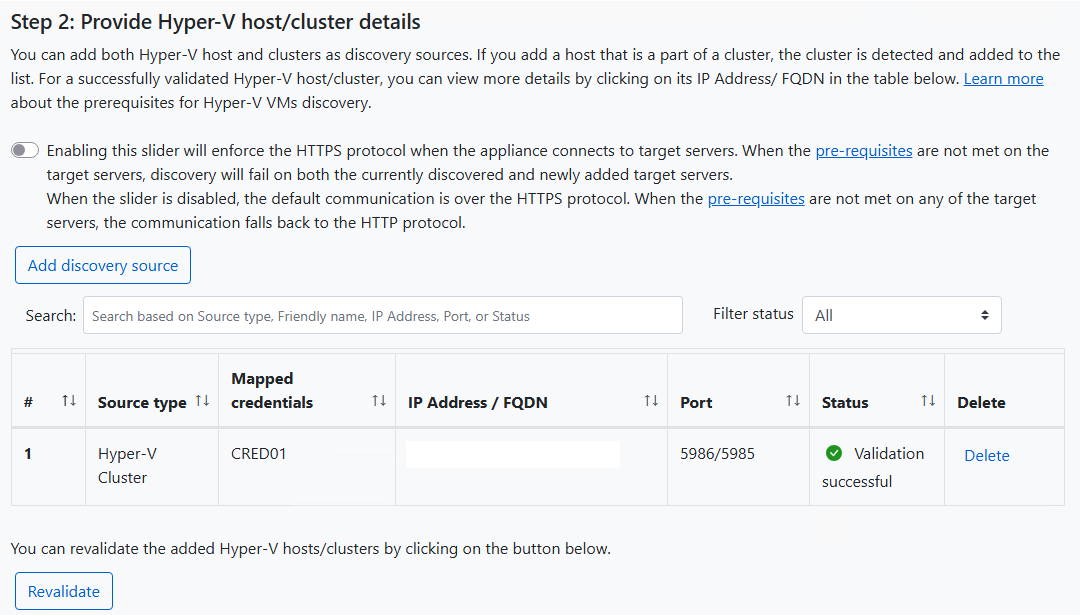
Figure 10: verifying that the issue was resolved following the change to the WSMan parameter.
The discovery completed successfully.
Conclusions
Following this change we were able to run the discovery of all the servers that were part of the Hyper-V cluster covered by the activity.
I reported what happened to Microsoft, in the hope that this case will be added in the future to the FAQs or to the troubleshooting documentation.
The goal of this guide, fully in the ICT Power spirit, is to share field experience and reduce the time needed to resolve similar problems.
Those who work on real projects know well that things do not always proceed as in the manual: documenting these cases can make the difference.